Dance Studio OS is a ready-built management system for small performing arts schools. Students, classes, attendance, invoices — all in one place, set up in a weekend.
Most small studio owners spend hours every week on admin that should take minutes. Here's what we hear all the time:
Chasing invoice payments across email threads, paper registers, and memory is exhausting — and things fall through the cracks.
Paper registers get lost, digital ones don't talk to your student records, and you're duplicating data constantly.
Contact details, medical notes, emergency contacts, and consent forms live in five different places — or nowhere at all.
Dance Studio OS is a complete, connected management system built on Airtable — software you can trust, that scales with you, and that you own outright. No monthly subscriptions for the core system. No locked-in vendor.
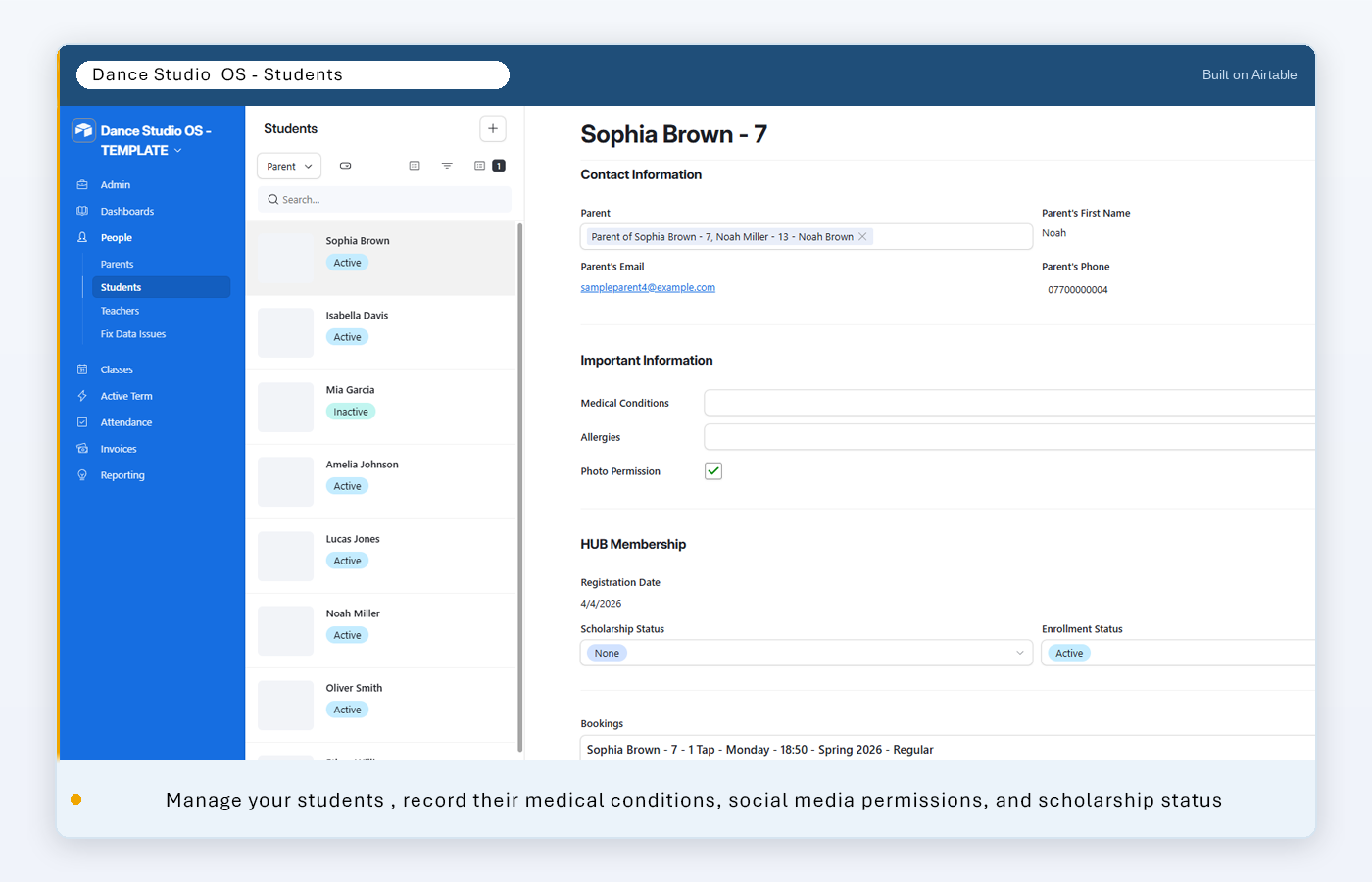
Full profiles with medical notes, emergency contacts, GDPR consent status, and direct links to every booking and invoice.
Define your classes, set your terms, and link everything together — teacher, location, day/time, and capacity in one place.
Mark attendance directly in the interface — it's linked to your enrolments and updates your records instantly.
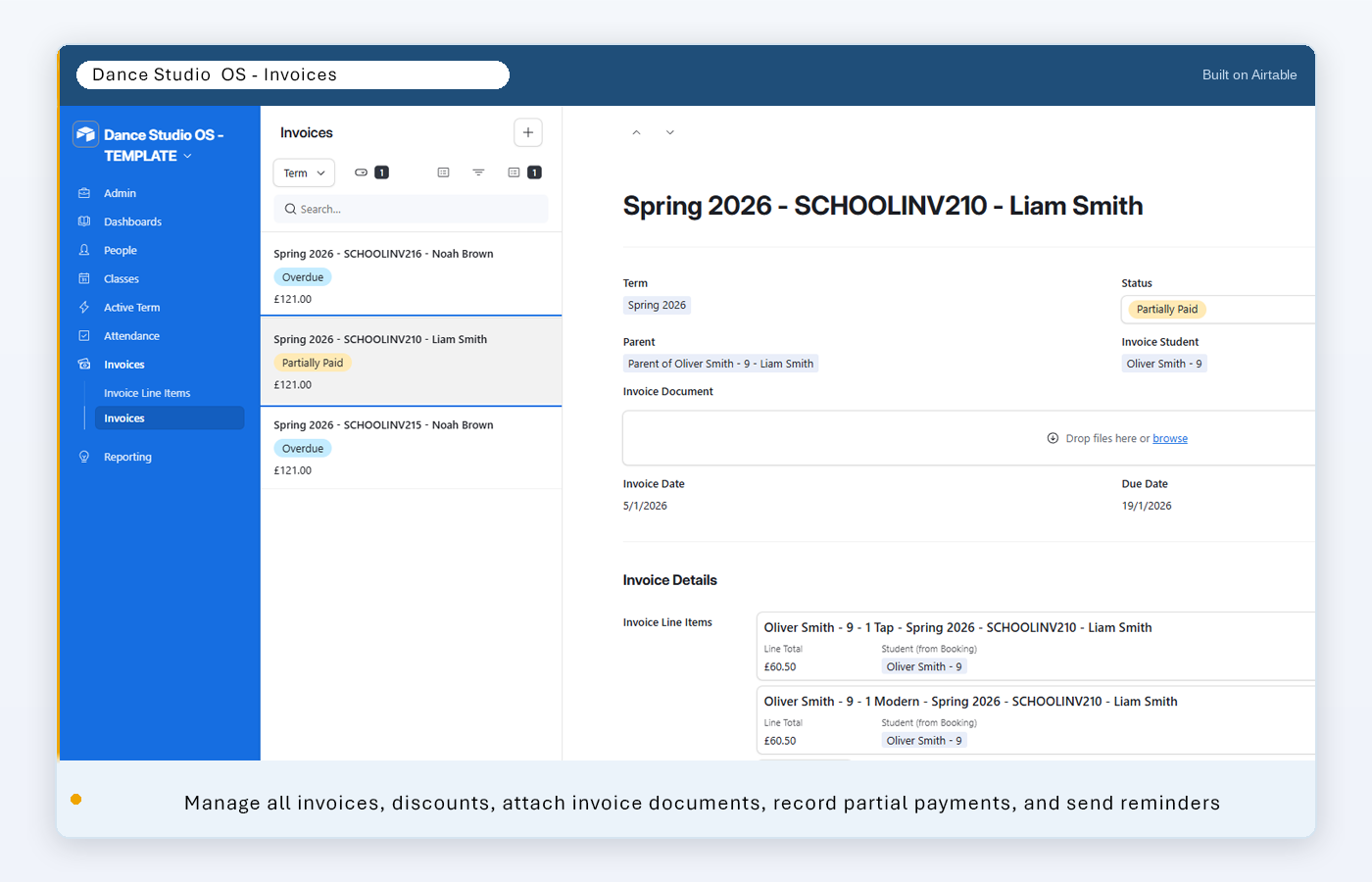
One invoice per student, per term. Track what's been paid, what's outstanding, and send reminders — no more chasing.
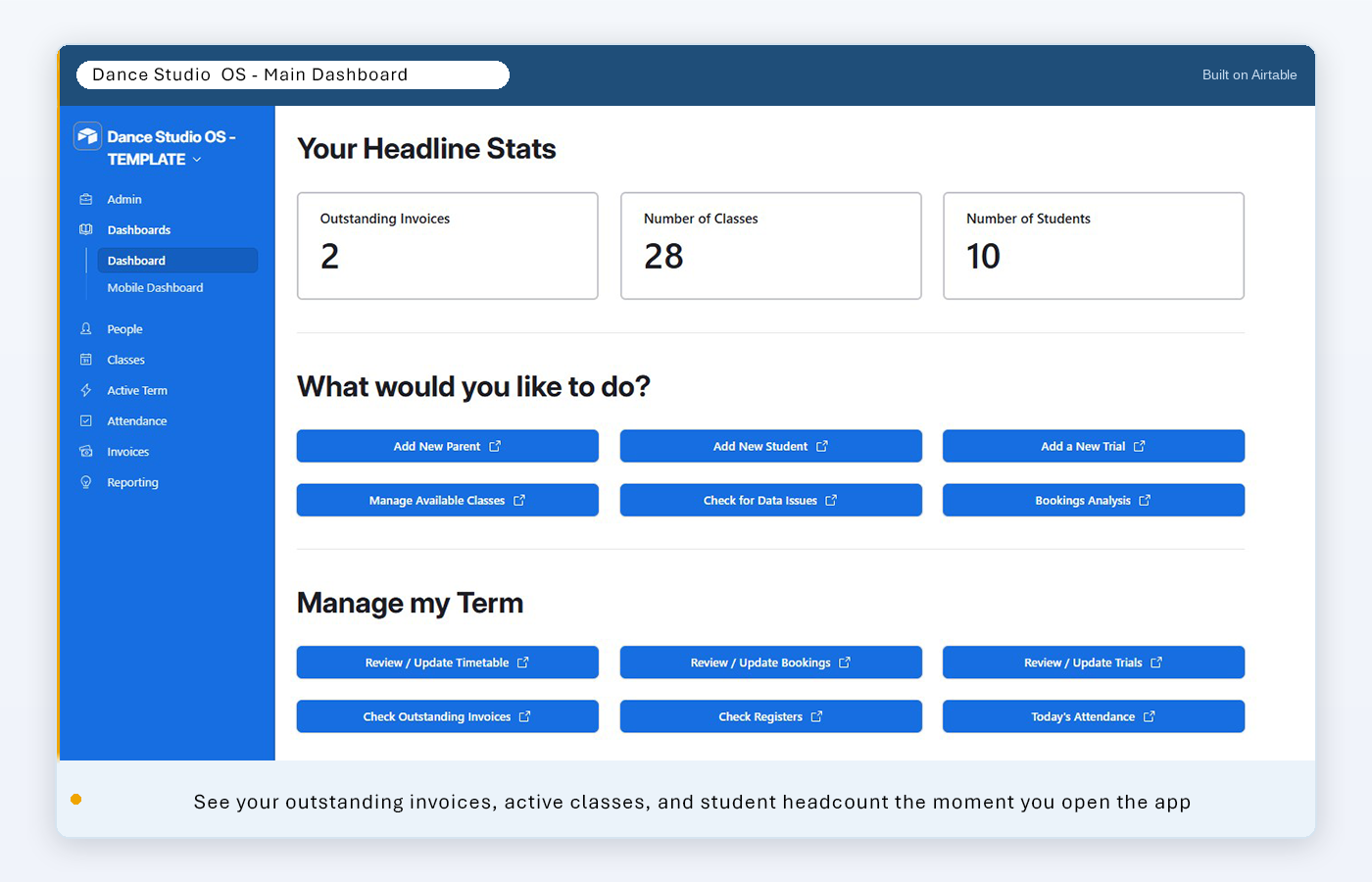
See your outstanding invoices, active classes, and student numbers the moment you open the app — no digging around.
The base is already built. Follow the setup guide, add your data, and you'll be up and running in a few hours — no technical skills needed.
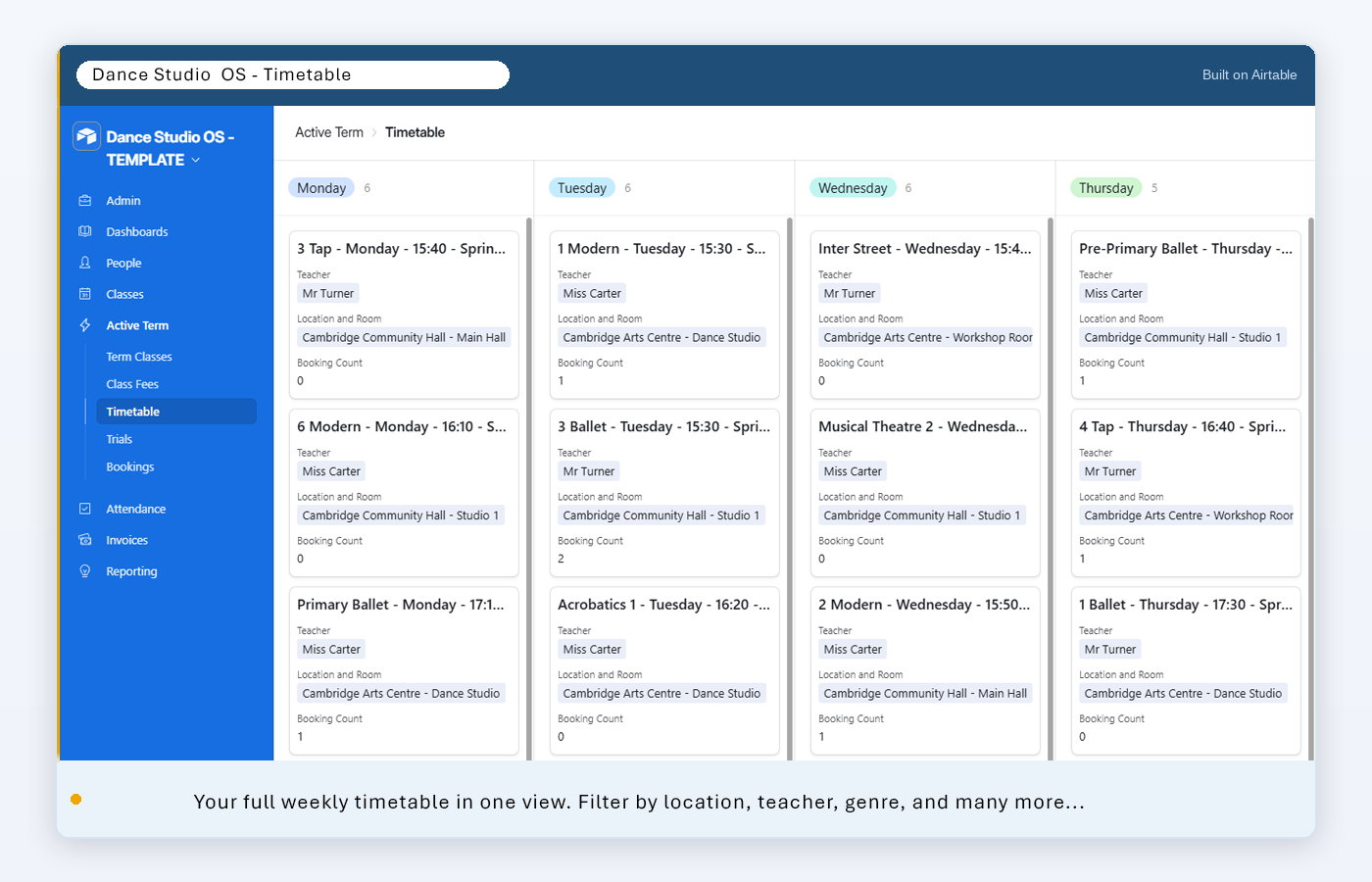
Seven purpose-built interfaces let you and your staff navigate the system without ever needing to touch a database.
The Dashboard — your school at a glance. Outstanding invoices, number of classes, and student headcount the moment you log in.
The Timetable — manage your weekly timetable, reschedule classes, assign teachers, and add or remove bookings
Student Records — every detail in one place: contact info, medical notes, emergency contacts, and linked bookings.
Invoice View — one invoice per student, per term. See what's paid, what's due, and who to chase — at a glance.
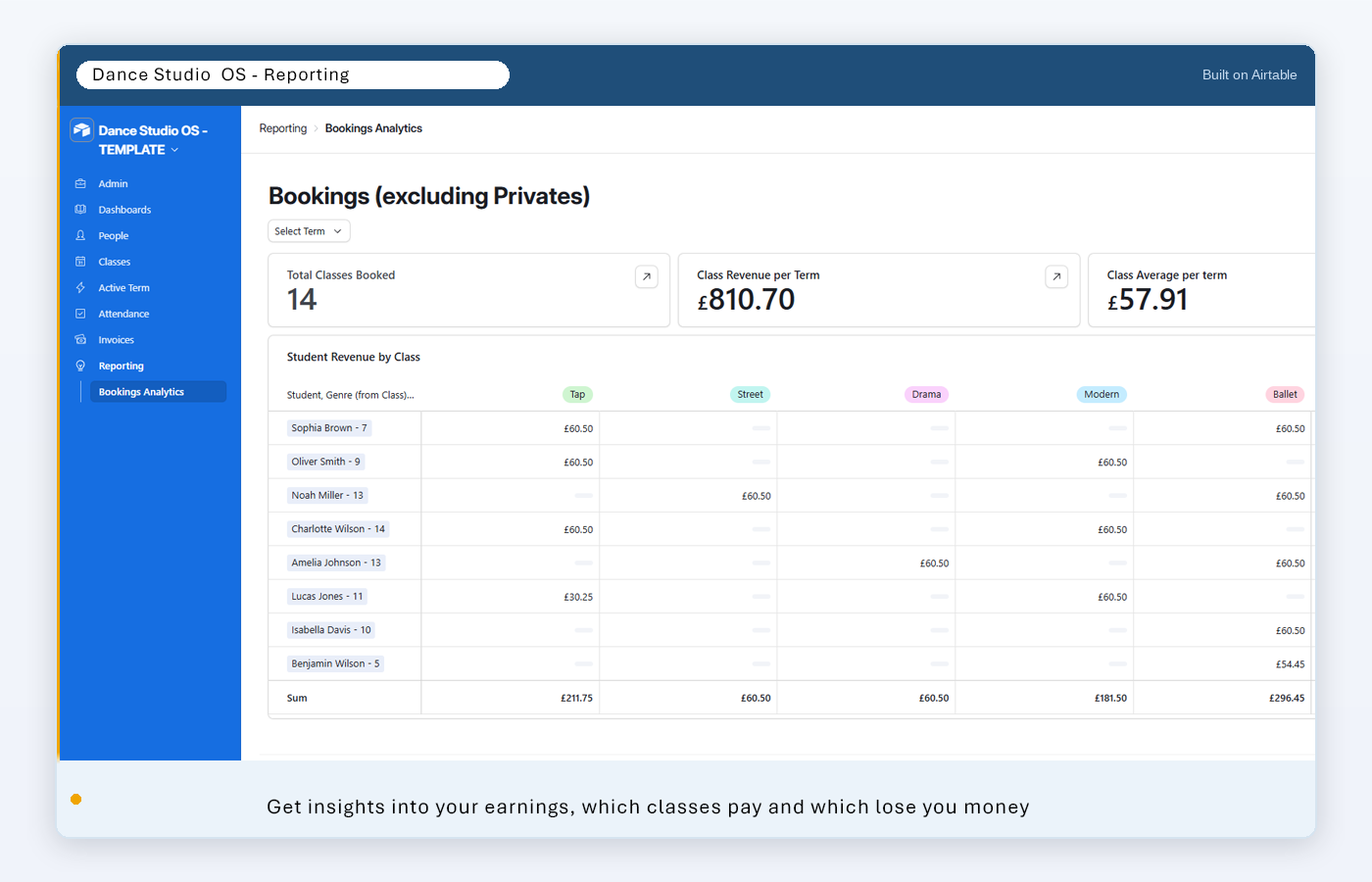
Reporting — see exactly which classes generate revenue and which don't. Filter by term, drill into student-level detail, and make data-driven decisions.
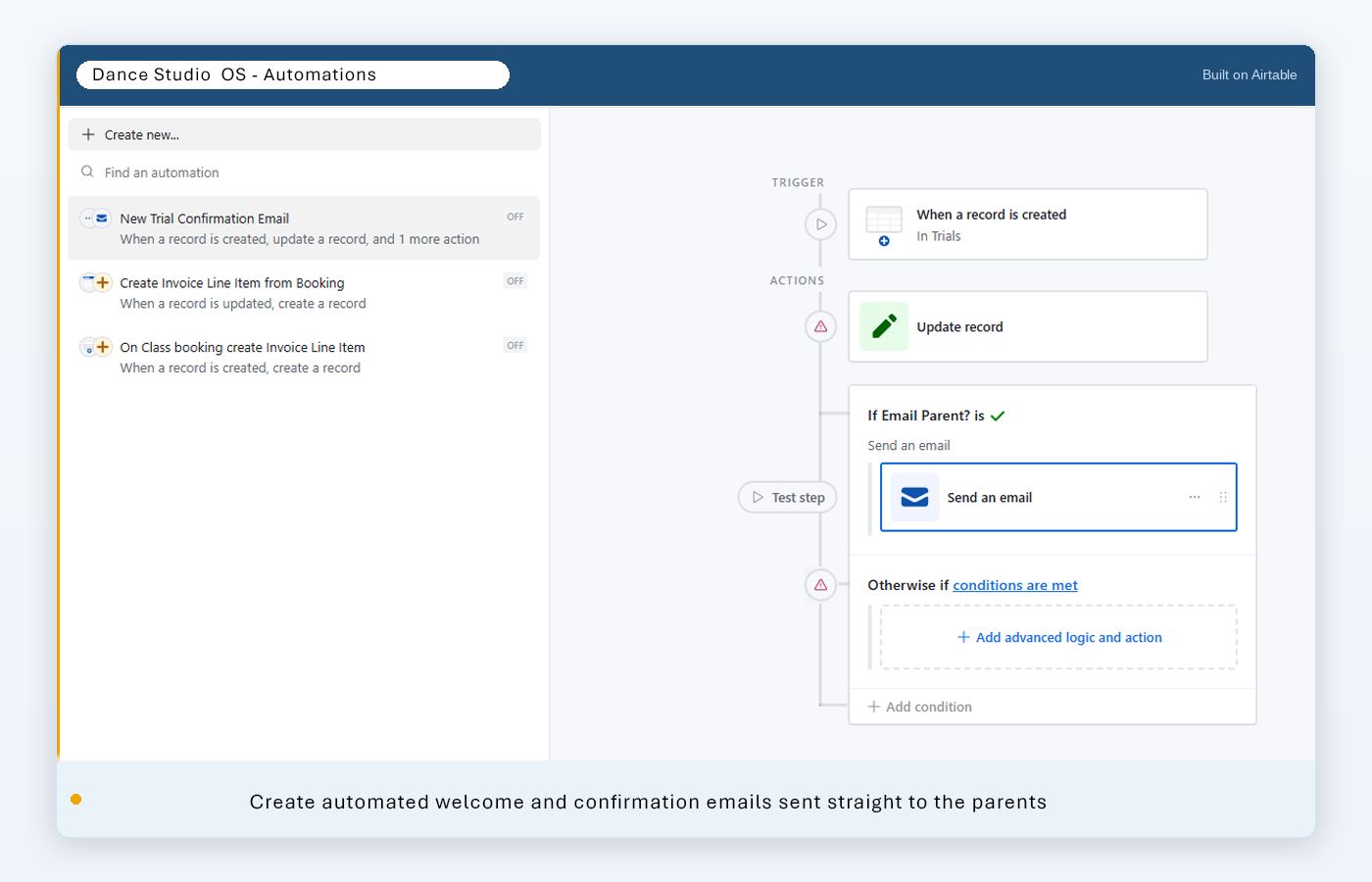
Automations — set up welcome emails, invoice reminders, and cancellation alerts once. The system handles them automatically every term.
Dedicated studio management platforms charge monthly subscriptions that add up fast. Dance Studio OS is a one-time purchase — you own it outright, forever.
| Dance Studio OS | ClassForKids | Jackrabbit Dance | |
|---|---|---|---|
| Pricing model | One-time purchase | Monthly subscription | Monthly subscription |
| Monthly fee | £0 | From £35/month | From ~£40/month |
| Year 1 total | £79 | £420+ | £480+ |
| 3-year total | £79 | £1,260+ | £1,440+ |
| Your data, your system | ✓ | ✗ | ✗ |
| Fully customisable | ✓ | Limited | Limited |
| No vendor lock-in | ✓ | ✗ | ✗ |
Competitor pricing based on publicly available rates as of 2025 and may vary by plan and region. Jackrabbit Dance pricing converted from USD at approximate GBP equivalent. Subscription tools include additional features such as integrated online booking and parent-facing payment portals not included in the Starter Bundle.
Buy once, own it forever. Every tier builds on the last — start with the Starter Bundle and add automation when you're ready.
One-time purchase · Instant download
Or £45 add-on if you own Tier 1
Quoted per project · Contact us to discuss
The Claude Desktop to Airtable Guide shows you how to connect your base to Claude AI — ask questions about your data, generate reports, and automate with plain English.
Dance Studio OS works for any small school where one or two people run the operations. If you're spending your evenings on admin instead of teaching, this is for you.
No prior Airtable experience needed. The Starter Bundle includes a full setup guide written for non-technical school owners. If you can use a spreadsheet, you can use this. Airtable also has a generous free plan — you may not need to pay anything extra.
Dance Studio OS itself is a one-time purchase — you own it. Airtable does have its own free and paid plans; most small schools will run comfortably on the free tier. The automation workflows (Tier 2) use N8N, which you can self-host for free or use their cloud plan.
You receive a download link with: a shareable Airtable base template (you copy it into your own account), seven pre-built Airtable Interfaces, a full setup guide with screenshots, and the AI Guide for School Owners. The Automation Bundle adds five N8N workflow JSON files and individual setup guides for each.
Absolutely. The setup guide includes common customisation scenarios — adding a new class genre, splitting a payment, adding a second teacher, and more. Because it's built in Airtable, you can adapt fields, views, and interfaces to match exactly how your school works.
Yes. The entire system is designed for school owners who run operations themselves, without a developer on hand. Every guide is written in plain English with screenshots. If you get stuck, email us at support@smbemore.com.
Airtable is a cloud-based database tool — think of it as a much smarter, more connected spreadsheet. It's used by tens of thousands of businesses worldwide. Your data lives securely in your own Airtable account, which you sign up for separately (free to get started).
The Starter Bundle is a one-time purchase. Set it up over a weekend and go into next term with a system that actually works.
Get the Starter Bundle — £79 →Questions? Email support@smbemore.com